
#
VoiceMaster
VoiceMaster allows members to make and personalize private temporary voice channels based on their preferences. These channels are deleted once everyone leaves, preventing empty voice channels from cluttering your server. It's a useful feature that helps keep your server tidy by reducing the number of unused voice channels.
#
Setup
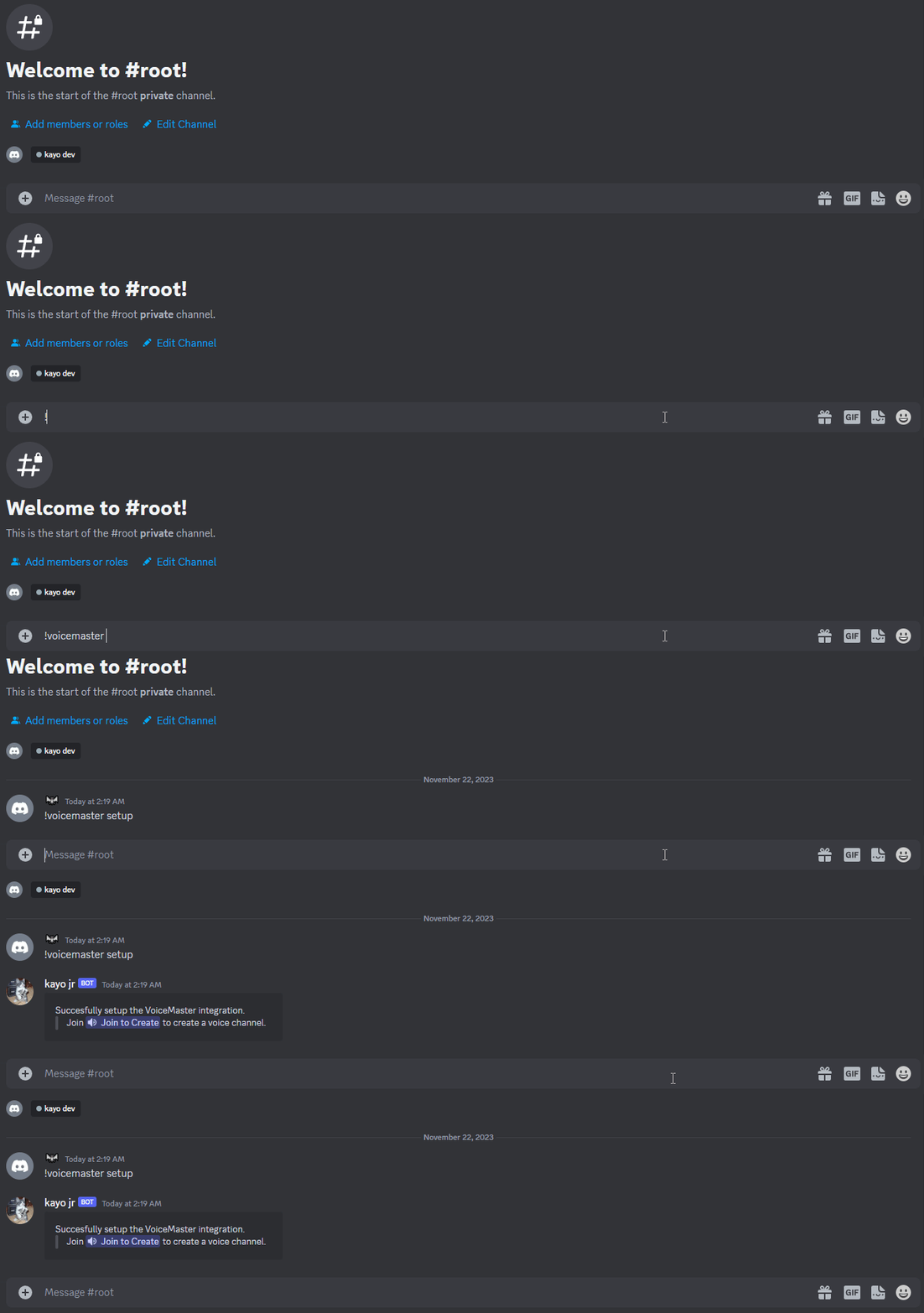
Initiate the setup process.
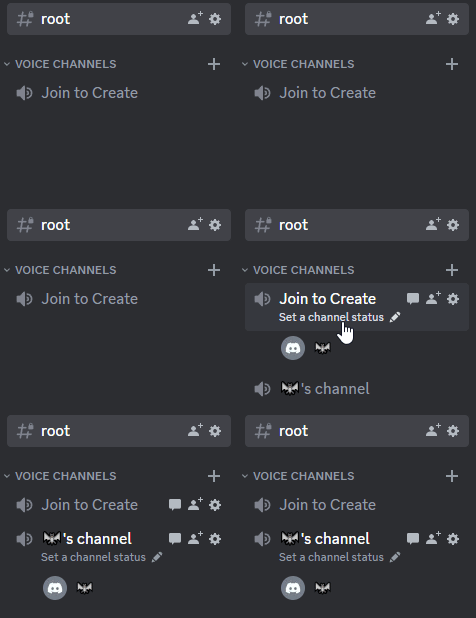
voicemaster setupkayo will create two channels: a category named Voice Channels and a voice channel named Join to Create.
Once both channels have been created, feel free to move or rename them as you wish.
You will now see a voice channel that, upon joining, creates new temporary voice channels.
#
Temporary channels
Voice channel owners have full control over their channels. They can limit access to certain members or roles, change the channel name, and more.
If the owner leaves the voice channel, you can take ownership of it.
voicemaster claimYou can pass the ownership of a voice channel you own to another member as well.
The member can't be a bot and needs to be in your voice channel.
voicemaster transfer <member>
#
Restricting access to the voice channel
The simplest option is to lock the voice channel, preventing anyone from joining unless you grant permission.
voicemaster lockIf someone's bothering you, you can kick them out of the voice channel and lock it just for them. This also applies to roles.
;voicemaster reject <member or role>If you want to lock the voice channel but also allow someone to join or permit a member or role which was rejected previously.
voicemaster allow <member or role>
#
Customization
#
Changing the channel name
Discord enforces a strict rate limit on channel name changes. Changing the name twice requires a waiting period of 10 minutes before you can change it again.
voicemaster name <name>
#
Changing the user limit
voicemaster limit <number>You can explore more commands using help voicemaster.